ICPV Book

This Android app is an electronic handbook for members who need their working documents in one pocket sized place: internal news, instructions, resolutions and action programs, personal profile tools, Party activity documents, and channels for comments and contributions. It is listed on Google Play as iCPV - Book, and most users search for it under the name used throughout this site.

4.5/5 · 335K+ reviews

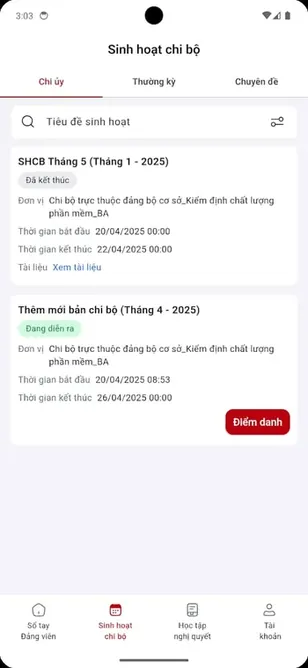
ICPV Book screenshot 1

The value of a handbook is reliability. The app, developed by Viettel Business Solutions Corporation, puts reference material and activity information behind a sign in on the phone you already carry, so a document needed in a meeting is a few taps away instead of a trip back to a desk or a filing cabinet. For organisations working through digital transformation, that simple reliability is the change that matters most, because information that can be reached gets used, and information that cannot be reached might as well not exist.

This page collects the verified app details, screenshots and practical guides in one place. Check the app information table for the current version, file size and package name, read the guides for the features you will use most, and use the download page when you are ready to install. Whether you are a new member opening the app for the first time or an experienced user checking one fact before a meeting, the same verified information is here, kept current as the app itself develops.

App Information

App Name ICPV Book
Developer Viettel Business Solutions Corporation
Package Name vn.dcs.icpvbook
Category Tools
File Size 74.6 MB
Version 1.1.5
Required Android 7.0 and up
File Type XAPK
Platform Android
Total Downloads 1,000,000+
Total Reviews 335676
Ratings 4.5/5
Age Ratings 3+

Screenshots

ICPV Book screenshot 1
1
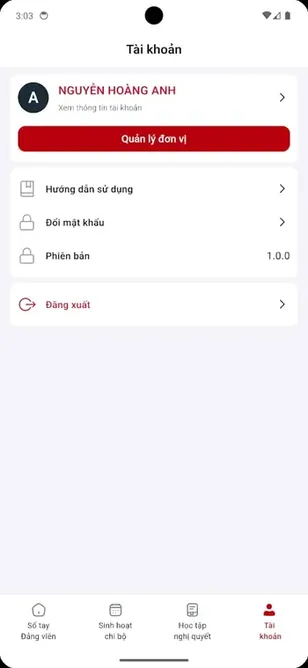
ICPV Book screenshot 2
2
ICPV Book screenshot 3
3
ICPV Book screenshot 4
4
ICPV Book screenshot 5
5

What Is ICPV Book?

In one sentence, the app is a digital handbook for Party work: the news, documents, profile records and activity tools that once lived in printed folders and office drawers, gathered into an Android app that a member can open anywhere. The details in this section are checked against the app as it works today, on ordinary Android phones. Everything here is written for members in real working situations, not for ideal conditions.

It is best for users who need a structured Android app for handbook-style information and Party-related document access.

In simple words, this handbook app can help users:

  • View internal news
  • Access instructions and resolutions
  • Read Party documents
  • Follow action programs
  • Manage personal profile information
  • Access Party activity documents
  • Send comments or contributions
  • Monitor Party cell activities
  • Study local resolutions
  • Use a digital handbook on Android
  • Support digital transformation activities
  • Keep important documents accessible on mobile

How ICPV Book Works on Android

The working pattern is familiar to anyone who uses a phone for their job. You install the app, sign in with your access, and the sections open in a logical order: news for what is new, documents for what is authoritative, and profile and activity areas for your own records. The blog guides take each part of this topic further, with step by step help for the common questions. If your organisation uses the app slightly differently, the principles still apply even where the details vary.

A normal the app user flow may look like this:

The app is designed for organized digital access rather than entertainment gameplay or social media use.

  1. Download it APK from a trusted source.

  2. Install ICPV Book on a compatible Android device.

  3. Open the the app app.

  4. Log in or access available sections where required.

  5. View the app internal news.

  6. Read it instructions, resolutions, and documents.

  7. Manage this handbook app personal profile details.

  8. Access the app Party activity documents.

  9. Use ICPV Book comment and contribution features.

  10. Monitor it Party cell activities.

  11. Study this handbook app local resolutions.

  12. Keep the app updated from trusted sources.

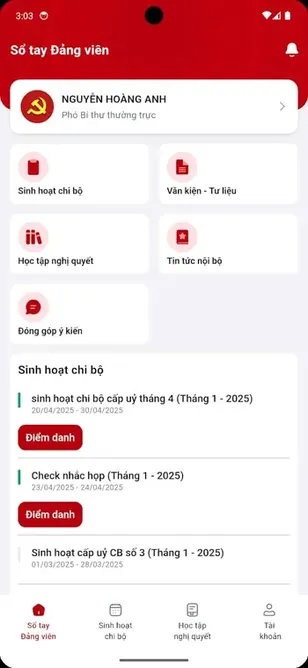
Main Features of ICPV Book

The feature set is built around the real paperwork of organisational life: reading internal news, following instructions and resolutions, managing a personal profile, handling activity documents, contributing comments, and studying local resolutions, all from one sign in. A few minutes spent understanding this section will save repeated confusion later. This is one of the parts of the handbook that rewards a regular habit over occasional attention.

These features make the app useful for users who need official-style handbook access on Android.

Main it features include:

  • the app electronic handbook
  • the app internal news
  • the app instructions
  • the app resolutions
  • the app documents
  • the app action programs
  • the app personal profile management
  • The app Party activity documents
  • the app comments feature
  • the app contribution channel
  • The app Party cell activity monitoring
  • It local resolution study
  • This handbook app Android tools app
  • The app digital transformation support
  • the app data safety listing with no data collected
  • It APK manual installation support

ICPV Book Electronic Handbook App

Calling the app an electronic handbook is precise rather than decorative. A handbook is the book you consult, not the book you read once, and the app is designed for exactly that pattern of repeated, purposeful consultation throughout the working week. New users should read this section early; experienced users will recognise their own routines in it. Where the app offers official routes, such as support or recovery, this guide always points to those rather than to shortcuts.

This handbook app is useful because users can access handbook-style content on Android anytime where the app is supported.

An electronic handbook app like the app may help with:

  • Digital document access
  • Faster internal information updates
  • Mobile handbook use
  • Easier reference reading
  • Organized document sections
  • Profile access
  • Activity tracking
  • Paperless information flow

ICPV Book for Party Members

For members, the app answers a daily practical question: where is the current information, and can I reach it now? It serves members and Party agencies who need internal updates, documents and activity materials without depending on a desk, a printer or a colleague memory. The details in this section are checked against the app as it works today, on ordinary Android phones. Everything here is written for members in real working situations, not for ideal conditions.

The app should be used as an information and tools app, not as a political opinion or debate platform.

It may help Party members:

  • View internal news
  • Read instructions
  • Access resolutions
  • Follow action programs
  • Manage personal information
  • Read Party activity documents
  • Send comments
  • Follow Party cell activities
  • Study local resolutions
  • Use Android for official document access

ICPV Book Digital Transformation Support

Digital transformation sounds grand and usually means something simple: paper processes moving into systems people actually use. The app supports that shift by making handbook content, communication and activity monitoring part of the phone members already carry every day. The blog guides take each part of this topic further, with step by step help for the common questions. If your organisation uses the app slightly differently, the principles still apply even where the details vary.

ICPV Book fits the category of a digital support tool for structured internal use.

The app digital transformation support may help with:

  • Faster document access
  • Centralized internal news
  • Mobile profile management
  • Easier update distribution
  • Better activity monitoring
  • Less paper dependence
  • Organized resolution study
  • Better communication flow

ICPV Book Internal News Feature

Internal news is the heartbeat of the app. Announcements and updates arrive in one stream, in order, where they can be read the day they matter instead of discovered weeks later through conversation, and that timeliness changes how connected a member feels. A few minutes spent understanding this section will save repeated confusion later. This is one of the parts of the handbook that rewards a regular habit over occasional attention.

Internal news makes the app useful as a mobile communication tool.

It internal news may help users:

  • View new updates
  • Follow important announcements
  • Read internal communication
  • Understand current instructions
  • Stay connected with activity updates
  • Access news on Android
  • Reduce manual information delay
  • Keep important updates organized

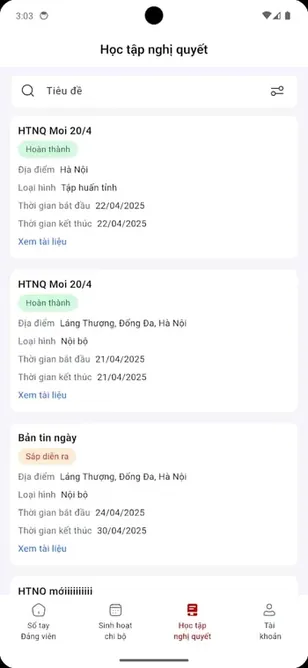
ICPV Book Instructions, Resolutions and Documents

Instructions and resolutions are the authoritative core of the handbook, the texts that meetings discuss and work follows. The app keeps them together, organised and reachable, so the correct current document is the one people actually consult. New users should read this section early; experienced users will recognise their own routines in it. Where the app offers official routes, such as support or recovery, this guide always points to those rather than to shortcuts.

This makes this handbook app helpful for structured document reading and reference.

The app document access may help users:

  • Read official instructions
  • Access resolutions
  • View Party documents
  • Follow action programs
  • Save time finding information
  • Use documents on Android
  • Keep materials organized
  • Support study and reference

ICPV Book Personal Profile Management

The profile section holds the personal record the organisation keeps for you: the details that other processes rely on. Managing it inside the app means errors can be seen and corrected by the person they describe, which is how records stay accurate. The details in this section are checked against the app as it works today, on ordinary Android phones. Everything here is written for members in real working situations, not for ideal conditions.

Users should manage profile information carefully and avoid sharing login details with unknown pages.

ICPV Book profile management may help with:

  • Viewing personal details
  • Updating profile information where allowed
  • Managing user identity
  • Supporting internal record access
  • Improving app personalization
  • Keeping account information organized
  • Supporting document access
  • Improving user control

ICPV Book Party Activity Documents

Activity documents are the paperwork of participation: the materials that record, guide and follow up the work of cells and units. Keeping them in the app ties them to the people and meetings they belong to, rather than to a cabinet in one office. The blog guides take each part of this topic further, with step by step help for the common questions. If your organisation uses the app slightly differently, the principles still apply even where the details vary.

This feature makes it valuable for users who need activity-related documents on mobile.

This handbook app Party activity documents may help users:

  • Read activity materials
  • Follow meeting-related content
  • Access study documents
  • Review internal information
  • Track local activities
  • Use documents anytime
  • Support organized work
  • Improve reference access

ICPV Book Comments and Contribution Channel

A handbook that only talks is half a tool. The comments and contribution channel gives members a route back: questions, suggestions and contributions can travel upward through the same app that brings instructions down, and that two way flow is what building work needs. A few minutes spent understanding this section will save repeated confusion later. This is one of the parts of the handbook that rewards a regular habit over occasional attention.

Users should use the app contribution tools responsibly and avoid sharing unnecessary personal or sensitive details.

The app comments feature may help with:

  • Sending feedback
  • Submitting contributions
  • Supporting communication
  • Sharing suggestions
  • Improving internal participation
  • Reducing communication gaps
  • Creating a feedback channel
  • Supporting organized input

ICPV Book Party Cell Activity Monitoring

Cell activity monitoring turns the life of the smallest unit in the organisation into something visible and followable: activities can be tracked, and local work can be seen in context rather than reconstructed from memory at reporting time. New users should read this section early; experienced users will recognise their own routines in it. Where the app offers official routes, such as support or recovery, this guide always points to those rather than to shortcuts.

This makes it useful for structured activity management.

ICPV Book Party cell activity monitoring may help with:

  • Tracking activity updates
  • Following unit-level activities
  • Viewing local progress
  • Supporting organized records
  • Improving activity awareness
  • Helping members stay informed
  • Supporting digital monitoring
  • Reducing manual tracking

ICPV Book Local Resolution Study

Resolutions only work when they are studied, and study needs access at the moment of discussion. The app supports local resolution study by keeping those texts available on the device in every member pocket, ready for cell meetings and personal reading alike. The details in this section are checked against the app as it works today, on ordinary Android phones. Everything here is written for members in real working situations, not for ideal conditions.

This feature supports the educational and reference side of the app.

The app local resolution study may help users:

  • Read local resolutions
  • Study important documents
  • Follow local instructions
  • Access learning materials
  • Use mobile study tools
  • Keep documents organized
  • Improve reference access
  • Support digital learning

ICPV Book Tools Category Explained

The Tools category label surprises some users, but it is accurate: the app is an instrument for getting organisational work done, closer to a calendar or a file system in spirit than to a game or a social network, and it should be judged as a tool is judged, by usefulness. The blog guides take each part of this topic further, with step by step help for the common questions. If your organisation uses the app slightly differently, the principles still apply even where the details vary.

The Tools category fits it because the app provides utility functions.

As a Tools app, this handbook app may support:

  • Document access
  • Internal news
  • Profile management
  • Activity monitoring
  • Resolution study
  • Feedback submission
  • Digital handbook use
  • Organized information flow

ICPV Book Data Safety and Privacy

Data safety deserves attention whenever an app holds personal and internal information. The listing details summarised on this site state that no data is shared with third parties and no data is collected, and the deeper guide in this section explains what that means and what remains your responsibility on the device. A few minutes spent understanding this section will save repeated confusion later. This is one of the parts of the handbook that rewards a regular habit over occasional attention.

Even when a listing says no data collected, users should still download the app only from trusted sources because fake APK files may behave differently.

ICPV Book privacy details include:

  • No data shared with third parties listed
  • No data collected listed
  • Privacy policy available from the listing
  • Data practices may vary by use, region, or age
  • App data information may be updated by the developer
  • Users should review permissions before installation
  • Users should avoid fake APK files
  • Users should protect login information

ICPV Book Support and Developer Information

When an app matters to your work, knowing who stands behind it matters too. The app is developed by Viettel Business Solutions Corporation, and keeping the developer and package name vn.dcs.icpvbook in mind helps users recognise the genuine listing and find the right support routes. New users should read this section early; experienced users will recognise their own routines in it. Where the app offers official routes, such as support or recovery, this guide always points to those rather than to shortcuts.

Users should contact only trusted support channels and should not share passwords, OTPs, or sensitive information with unknown pages.

It support may help with:

  • App access issues
  • Login problems
  • Profile management problems
  • Document access issues
  • Internal news not loading
  • Party activity document problems
  • Local resolution access questions
  • General app support

How to Download ICPV Book APK Safely

Safe downloading is a short routine: use a trusted source, confirm the app name and the package name vn.dcs.icpvbook, check the version and file type, and stop if the file in front of you disagrees with any of those published facts. The details in this section are checked against the app as it works today, on ordinary Android phones. Everything here is written for members in real working situations, not for ideal conditions.

To download this handbook app safely:

Safe downloading protects the device and helps users avoid fake the app files.

  1. Use a trusted APK source.

  2. Check the app name: The app / iCPV - Book.

  3. Check the package name: vn.dcs.icpvbook.

  4. Review developer details.

  5. Check the Tools category.

  6. Review data safety details.

  7. Avoid fake download buttons.

  8. Avoid suspicious redirects.

  9. Avoid modified APK files.

  10. Download only the correct Android Package Kit file.

ICPV Book Safe Download Wording

Precise wording protects users who follow instructions literally, as they should with installation files. The recommended wording below states exactly what the download provides, which file type it is, and what to verify before installing. The blog guides take each part of this topic further, with step by step help for the common questions. If your organisation uses the app slightly differently, the principles still apply even where the details vary.

Recommended it download wording:

Click the download button to get a secure and verified Android Package Kit file for installing ICPV Book on your Android device. The file is provided for users who want to manually install the the app electronic handbook app with internal news access, Party document management, personal profile tools, Party activity documents, comment and contribution features, local resolution study, Party cell activity monitoring, and Android digital transformation support while avoiding fake, modified, patched, cracked, outdated, unsafe, or misleading APK files.

This wording clearly explains what users are downloading and keeps the app APK safety clear.

How to Install ICPV Book APK on Android

Installation is a few ordered steps: download the XAPK file completely, open it with a compatible installer, allow the install permission only for that moment if asked, and let the process finish before opening the app and signing in for the first time. A few minutes spent understanding this section will save repeated confusion later. This is one of the parts of the handbook that rewards a regular habit over occasional attention.

Basic it installation steps:

Manual APK installation should always be handled carefully.

  1. Download this handbook app APK from a trusted source.

  2. Open the downloaded APK file.

  3. Check the the app app name.

  4. Check package details where available.

  5. Allow unknown app installation temporarily if required.

  6. Tap Install.

  7. Wait for installation to complete.

  8. Open ICPV Book.

  9. Log in or access available sections where required.

  10. Test internal news and document sections.

  11. Turn off unknown installation permission after setup.

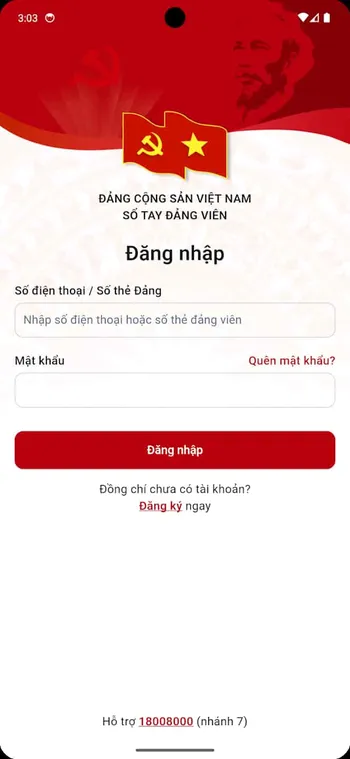
ICPV Book Login and Access Notes

Access to the handbook is personal, because the content is. Depending on your organisation setup, sign in credentials or verification may be required, and those details deserve the same care as the key to an office, as the notes in this section explain. New users should read this section early; experienced users will recognise their own routines in it. Where the app offers official routes, such as support or recovery, this guide always points to those rather than to shortcuts.

Login safety is important for it because the app is connected with internal information and documents.

This handbook app login safety tips:

  • Use official login screens
  • Avoid entering password on ads
  • Do not share OTP codes
  • Do not share account details with unknown contacts
  • Use trusted app source
  • Contact official support if access fails
  • Avoid fake recovery pages
  • Keep account information private

Common ICPV Book Problems and Fixes

The problems users meet are mostly ordinary: a document that will not load, a sign in that loops, an app that feels slow on a full phone. The fixes below work through connection, session, storage and cache in that order before assuming a deeper fault. The details in this section are checked against the app as it works today, on ordinary Android phones. Everything here is written for members in real working situations, not for ideal conditions.

ICPV Book Not Installing

Possible causes:

  • Corrupted APK file
  • Incomplete download
  • Low storage
  • Unknown installation blocked
  • Wrong APK file
  • Android compatibility issue
  • Outdated APK file
  • Unsafe APK source

Fixes:

  • Download it again from a trusted source
  • Free storage
  • Restart device
  • Allow unknown installation temporarily
  • Check app name and package name
  • Avoid modified APK files
  • Delete failed downloads
  • Try again

ICPV Book Not Opening

Try:

  • Restart ICPV Book
  • Restart phone
  • Clear cache
  • Free storage
  • Check Android compatibility
  • Reinstall trusted this handbook app APK
  • Avoid fake APK files
  • Try again later

ICPV Book Login Not Working

Try:

  • Check username or account details
  • Check password
  • Check internet connection
  • Restart ICPV Book
  • Clear cache carefully
  • Use official support
  • Avoid fake login pages
  • Do not share passwords

ICPV Book Documents Not Loading

Try:

  • Check internet connection
  • Restart ICPV Book
  • Try another document section
  • Clear cache
  • Restart device
  • Update the app from trusted source
  • Contact support if needed
  • Avoid outdated APK files

ICPV Book Internal News Not Updating

Try:

  • Check internet
  • Restart the app
  • Refresh section where available
  • Clear cache
  • Update ICPV Book
  • Try again later
  • Contact support if needed
  • Avoid modified versions

ICPV Book Pros and Cons

A balanced summary serves a busy reader. The app strengths are consolidation, reach and the discipline of one official channel; its compromises are the sign in it requires, the connection it depends on, and the care its internal content demands from every user. The blog guides take each part of this topic further, with step by step help for the common questions. If your organisation uses the app slightly differently, the principles still apply even where the details vary.

Pros

  • The app electronic handbook access
  • It internal news support
  • ICPV Book instructions and resolutions access
  • ICPV Book document management
  • The app personal profile management
  • The app Party activity documents
  • It comments and contribution channel
  • This handbook app Party cell activity monitoring
  • The app local resolution study
  • ICPV Book Android tools app
  • It digital transformation support
  • This handbook app listed with 1M+ downloads
  • The app data safety lists no data collected
  • The app data safety lists no data shared
  • It developed by Viettel Business Solutions Corporation

Cons

  • ICPV Book may require account access
  • The app access may depend on organization setup
  • The app document sections may need internet
  • It APK installation needs care
  • This handbook app fake APK pages can be risky
  • The app outdated APK files may cause issues
  • ICPV Book login problems may need support
  • It availability may vary by region
  • This handbook app support response may vary
  • The app features may depend on user permission level

ICPV Book Safety Tips

Safety with a work handbook is mostly habit: a locked phone, a private password, permissions reviewed, downloads verified, and updates installed. None of it is technical, and together it protects your profile and your organisation material completely. A few minutes spent understanding this section will save repeated confusion later. This is one of the parts of the handbook that rewards a regular habit over occasional attention.

Use the app safely by following these tips:

  • Download the app from trusted sources
  • Check the app name before installing
  • Verify the package name vn.dcs.icpvbook
  • Review developer details
  • Review data safety information
  • Avoid it Mod APK
  • Avoid cracked the app APK files
  • Avoid patched the app builds
  • Avoid outdated the app files
  • Avoid fake download buttons
  • Avoid suspicious redirects
  • Avoid fake it login pages
  • Do not share passwords or OTP codes
  • Turn off unknown installation after setup
  • Contact trusted support only

Frequently Asked Questions

What is ICPV Book?

It is an Android electronic handbook app for Party members and Party related activities, supporting internal news, documents, resolutions, personal profile management, contribution features, Party cell activity monitoring and local resolution study, all behind a personal sign in.

What is iCPV - Book?

iCPV - Book is the name shown on the Google Play listing for the same app that most users search for as ICPV Book. The developer is Viettel Business Solutions Corporation and the package name is vn.dcs.icpvbook, which is the surest way to confirm you have the right app.

What is ICPV Book APK?

The APK, here an XAPK package, is the Android installation file used to install the app manually on a compatible device. The listing on this site shows version 1.1.5 at 74.6 MB for Android 7.0 and up.

What is the package name of ICPV Book?

The package name is vn.dcs.icpvbook. Checking it before you install is a simple, powerful habit, because a genuine file for this app will always carry that same package identity.

Who developed ICPV Book?

The app was developed by Viettel Business Solutions Corporation. Knowing the developer helps you recognise the genuine listing, follow the correct support route, and ignore imitations using a similar name.

What category is ICPV Book in?

It is listed in the Tools category. The label fits: the app is a working instrument for documents, news, profiles and activity records rather than entertainment software.

What is ICPV Book used for?

Members and Party agencies use it to read internal news, follow instructions and resolutions, manage personal profiles, handle Party activity documents, contribute comments, monitor cell activities and study local resolutions from an Android phone.

Does ICPV Book collect data?

The data safety details summarised on this site list no data collected. Device level care still matters, so keep the phone locked and your password private regardless.

Does ICPV Book share data?

The data safety details summarised on this site list no data shared with third parties. Combined with the collection note, the listing presents a modest data profile for the app.

Is ICPV Book safe?

On the published evidence, yes: the listing details are consistent, the package name is clear and the data safety summary is modest. Your own habits complete the picture, so download from trusted sources and protect your credentials.

Does ICPV Book require login?

Access may require credentials or verification depending on your organisation setup. Keep your sign in details private, use only official recovery routes if you lose them, and never share your password in messages.

Why is ICPV Book not opening?

Usually a connection, session or storage problem: check the connection honestly, sign out and back in, confirm free storage, and clear the app cache, testing after each step. If a single document fails while others load, report its exact title.

Why are ICPV Book documents not loading?

Documents load from a server, so a weak or interrupted connection is the first suspect, followed by storage too full to cache files. Open one document at a time on a better connection, and keep a healthy margin of free space on the phone.

Should I download ICPV Book Mod APK?

No. Modified files from unknown sources put your account and internal material at risk and can break updates. The standard app already provides the complete handbook, and it is the only version your organisation expects you to use.

How do I install ICPV Book APK?

Download the file from a trusted source, verify the package name vn.dcs.icpvbook, open the XAPK with a compatible installer, allow the install permission for that moment if asked, and let installation finish. Then open the app and sign in with your own credentials.

Conclusion

The app earns its place by consolidation. News, documents, profiles, activity records and contribution tools that once scattered across paper, offices and memory now sit behind one sign in on an Android phone, published by Viettel Business Solutions Corporation under the package name vn.dcs.icpvbook. For members, that means the current document is reachable at the moment it is needed, which is the entire point of a handbook. It also changes the texture of organisational life in small ways that add up: fewer phone calls chasing paper, fewer meetings delayed by a missing text, and a shared confidence that everyone is reading the same current document rather than three different printouts of three different ages.

Use it with the habits this page recommends: check news briefly every day, read documents fully and in order, keep your profile accurate, and protect your access like the key it is. The app information here, version 1.1.5, 74.6 MB, Android 7.0 and up, remains your reference before installing, and the blog guides answer the detailed questions section by section.

Hannah Kim

Reviewed by

Hannah Kim

Reading Apps Reviewer

Hannah reviews reading and document apps for Android, focusing on readability, document workflows and whether an app respects its readers time.